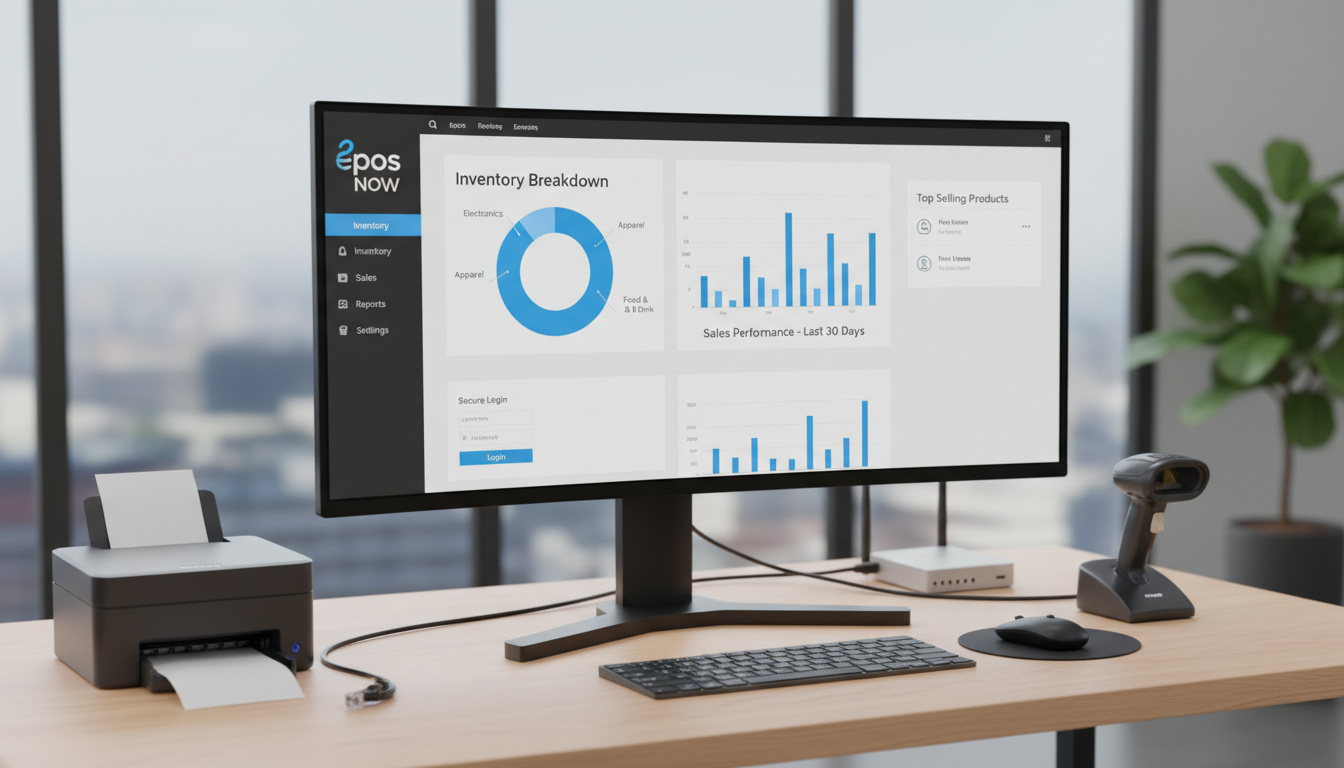

The Epos Now Back Office serves as the centralized command center for businesses running the company’s cloud-based point-of-sale systems. Designed primarily for retail and hospitality operations, this web-based interface enables owners and managers to oversee operations without standing beside a physical till.
Unlike traditional POS management systems requiring on-premise servers, the back office operates entirely through standard web browsers. This architecture allows authorized users to monitor sales trends, adjust inventory levels, and configure pricing structures from any location with internet connectivity.
The platform’s dashboard consolidates critical business metrics into customizable views, presenting sales breakdowns, transaction histories, and staff performance data in real-time. For businesses seeking operational flexibility, this remote management capability eliminates the constraints of hardware-bound administration.
What is Epos Now Back Office?
Access and Login Guide
Back office login provides centralized control accessible via any modern web browser. Users navigate through the main interface to reach menus controlling tax rates, product inventories, and organizational settings. From the back office portal, administrators select organizational options to configure tax display settings, determining whether pricing appears with or without tax on front till devices.
Developer access extends functionality through embedded applications utilizing the Eposnow JS API, retrieving data elements including DeviceID, LocationID, and Username for custom integrations. All changes made within the back office synchronize automatically to connected front till hardware through cloud infrastructure.
- Real-time synchronization between back office changes and front till devices
- Browser-based access eliminates software installation requirements
- Customizable dashboard views for different management roles
- Dedicated training mode for new staff onboarding
- AI-powered pricing tools for competitive rate analysis
- One-click Excel export for all report types
- 24/7 availability via AI support agent SideKick
| Fact | Details |
|---|---|
| Provider | Epos Now |
| Type | Cloud-based back office software |
| Primary Functions | Reporting, inventory management, staff oversight |
| Access Method | Web browser |
| Support Hours | Live chat 9am-6pm; AI agent 24/7 |
| Mobile Compatibility | Refined UI for tablets and smartphones |
| Integration Count | Hundreds of third-party apps |
| Report Export | Excel format available |
| Target Industries | Retail and hospitality |
| Training Mode | Dedicated environment for staff onboarding |
Key Features of Epos Now Back Office
Reporting Tools
The reporting infrastructure provides granular visibility into business performance. Users generate customizable reports covering sales trends, inventory turnover rates, customer behavior patterns, and staff productivity metrics. Margin tracking functions allow precise calculation of profitability through integrated purchase information.
Every report supports immediate export to Excel via intuitive blue-button controls. Real-time analytics refresh across all connected devices, ensuring decision-makers view current data rather than delayed snapshots.
One-click Excel export functionality applies to all report types, eliminating manual data entry when transferring information to accounting spreadsheets.
Inventory Management
Stock control operates through dual pathways: the back office interface and front till devices. Barcode scanning capabilities streamline stocktaking processes, while automated low-stock alerts prevent inventory shortages. The system supports purchase order management, allowing administrators to replenish supplies directly from the management portal.
Back office settings allow creation of standard or combined tax rates, with controls determining whether prices display with or without tax on front till devices.
Price and Table Management
An AI-driven pricing tool analyzes market conditions to suggest competitive rates. Administrators create tax categories, assign them to specific products, and delete obsolete rates using interface controls. Restaurant operators benefit from table management features that customize table sizes and labels directly on POS hardware, tracking occupancy status without switching between systems.
Changes to tax display settings require manual sync to front till devices through the organizations menu before appearing at the point of sale.
Getting Started with Epos Now Back Office
Training Resources
Onboarding new personnel requires minimal downtime due to integrated training modes. Video tutorials cover dashboard navigation, report generation, tax configuration, and system settings. Most staff achieve operational competency within minutes rather than hours.
Support Options
Technical assistance operates through multiple channels. Live chat support functions from 9am to 6pm, while the AI agent SideKick handles inquiries continuously. The knowledge base contains categorized articles addressing back office software, till integration, and troubleshooting procedures.
Mobile Access and Software Integration
The platform’s refined user interface accommodates tablets and smartphones, though specific standalone mobile application details remain unconfirmed by official sources. Multi-device compatibility ensures that managers can access insights while away from fixed workstations.
Integration capabilities extend through an extensive app store offering hundreds of third-party connections. These encompass payroll processing, customer loyalty programs, accounting software, ecommerce platforms, and CRM systems. Recent updates have expanded accounting, ecommerce, and CRM integration options.
Product Evolution and Recent Updates
- : Enhanced detailed analytics and reporting capabilities introduced
- : New accounting, ecommerce, and CRM connectivity options added
- : Improved UI and mobile compatibility features implemented
- : Real-time analytics available across all devices
- : Cloud synchronization architecture operational for all users
Verified Capabilities and Outstanding Questions
| Established Information | Information Requiring Clarification |
|---|---|
| Browser-based access requires no local software installation | Specific pricing tiers for back office access remain undisclosed |
| Live chat limited to 9am-6pm hours; AI support available continuously | Historical launch dates for specific feature sets not publicly archived |
| Excel export functionality confirmed for all report types | Standalone mobile application availability versus browser-based access requires verification |
| Cloud synchronization pushes changes to front till devices immediately | Offline functionality specifications not established in current documentation |
Market Position and Competitive Context
Comparative analysis positions Epos Now favorably against rival systems. The platform offers over fifty report types, exceeding Toast and TouchBistro capabilities. Table management tools surpass PayPal POS functionality, while support response times reportedly exceed Clover standards. Unlike CStoreOffice, which focuses narrowly on inventory and sales reports, Epos Now incorporates CRM and payment processing features.
Retail inventory management complexities parallel those found in high-demand consumer product releases, similar to tracking availability for the Air Max 95 Pink Foam – Release Date, Price, Where to Buy, where real-time stock visibility proves equally critical for business operations.
Documentation Sources and Verification
Primary information derives from official Epos Now documentation, technical review platforms, and verified user tutorials. Independent assessments confirm the platform’s feature set across retail and hospitality deployments.
Customizable reports cover sales trends, inventory turnover, customer behavior, margins, and staff performance.
Tech.co POS System Review
The main dashboard offers a straightforward overview of company performance, including sales breakdowns, sales by products, completed transactions, and staff/company info.
Epos Now Tutorial Documentation
Implementation Summary
Epos Now Back Office provides browser-based management for retail and hospitality POS systems. The platform delivers real-time reporting, inventory control, and staff management through customizable dashboards. While specific pricing remains undisclosed, the system offers comprehensive integration options and multi-device accessibility. Organizations evaluating POS management solutions may find additional context through resources covering Tesco Jobs Near Me – Find Local Openings and How to Apply for retail employment insights.
Common Questions
What devices work with Epos Now Back Office?
Modern web browsers on desktops, tablets, and smartphones. Android-compatible POS terminals and front till devices sync with the system.
How much does Epos Now Back Office cost?
Official pricing for back office access is not publicly disclosed in available documentation. Businesses must contact Epos Now directly for current rate information.
Can Epos Now Back Office integrate with other software?
Yes. Hundreds of third-party applications connect through the app store, including payroll, loyalty programs, accounting, ecommerce, and CRM systems.
How secure is Epos Now Back Office?
The cloud-based architecture utilizes secure web protocols. Developer access requires proper authentication through the Eposnow JS API for embedded applications.
Does Epos Now Back Office work offline?
Available documentation confirms cloud synchronization requirements for updating front till devices. Offline functionality specifics are not established in current sources.
How do I troubleshoot login issues?
The support portal provides categorized troubleshooting guides. Live chat operates 9am-6pm for direct assistance, with AI support available continuously.
Is there dedicated training for new staff?
Yes. The system includes a dedicated training mode designed for quick staff onboarding, typically requiring only minutes to achieve basic competency.

Marcus Webb is Politics & Public Affairs Editor at PublicReport, covering Westminster, Whitehall, devolved governments, public policy and UK political affairs.